SMS opt-in documentation
Updated September 14, 2026 · Blockwork authentication messages
Blockwork uses text messages for requested sign-in codes, sign-in links, and phone verification codes. This opt-in does not subscribe anyone to marketing messages, campaign alerts, or recurring notifications.
How recipients give consent
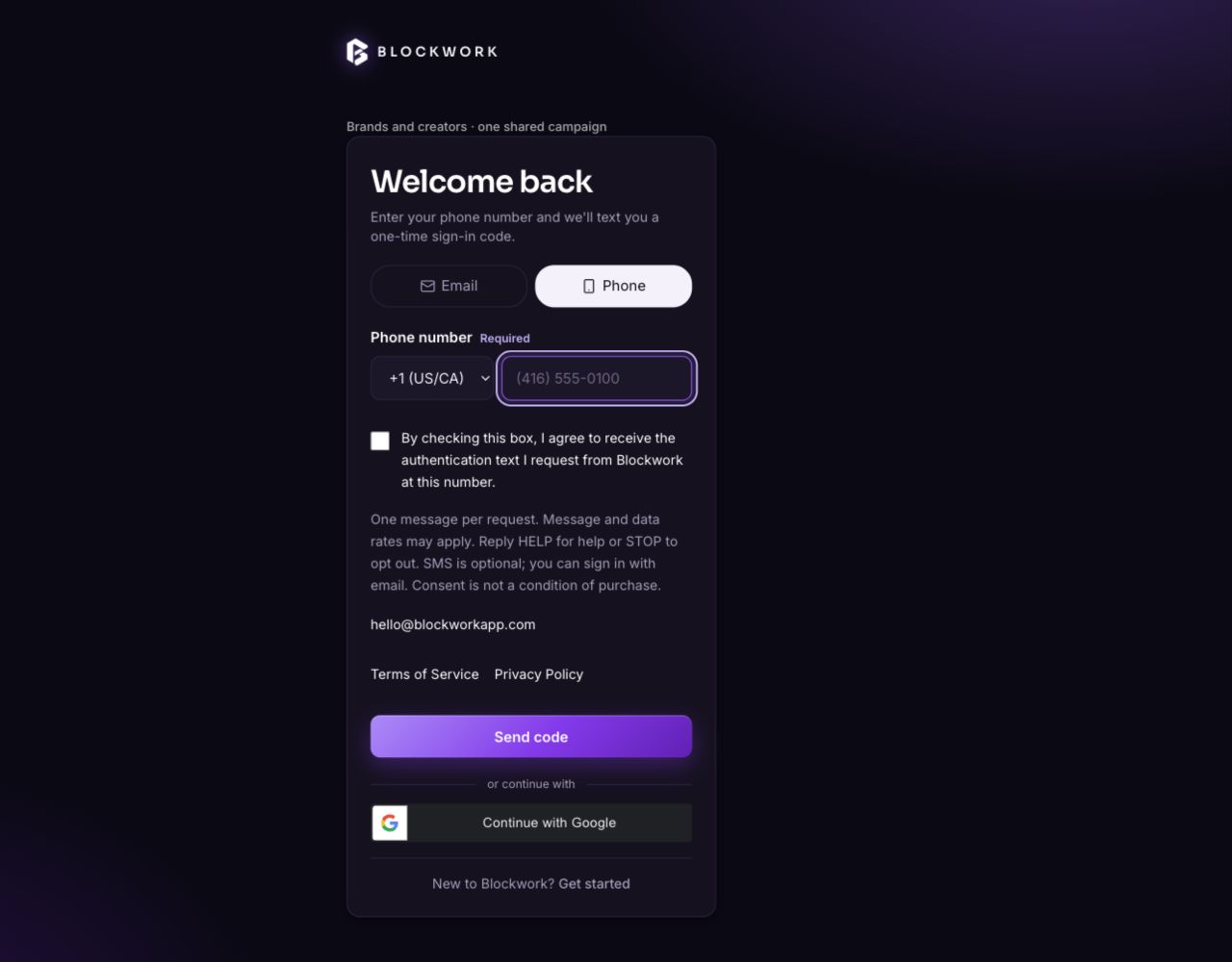
- Choose Phone on the sign-in form and enter a mobile phone number.
- Read the SMS disclosure and the linked Terms of Service and Privacy Policy.
- Actively select the consent checkbox. It is unchecked by default.
- Select Send code to request an authentication message.
Signed-in users adding or changing a phone number see the same consent disclosure before selecting Text me a code. Changing the number or restarting the flow clears the checkbox. A request without consent is rejected before a message is sent. Consent is recorded with the request time and disclosure version.
Disclosure shown with the form
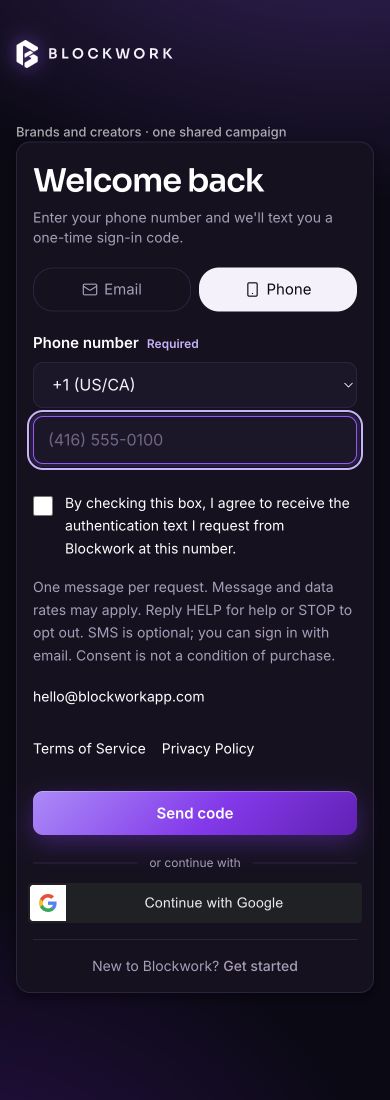
By checking this box, I agree to receive the authentication text I request from Blockwork at this number.
One message per request. Message and data rates may apply. Reply HELP for help or STOP to opt out. SMS is optional; you can sign in with email. Consent is not a condition of purchase.
Support: hello@blockworkapp.com
Terms of Service · Privacy Policy
We do not sell or share mobile phone numbers, SMS opt-in data, or text messaging consent with third parties or affiliates for marketing or promotional purposes.
Actual form screenshots
These unaltered screenshots show the implemented web form before a user opts in, captured on September 14, 2026 in the release review environment. The displayed number is a blank-field example, not a recipient's number. Production SMS activation is awaiting sender verification. These images document the opt-in interface; they do not represent a completed subscription or a live SMS delivery.